Complete Reference
Comprehensive reference documentation for PraisonAI including all features, diagrams, and examples.





Key Features
Automated creation and management of AI agents with self-reflection capabilities
Workflow PatternsSequential, parallel, hierarchical, and custom workflow orchestration
LLM SupportSupport for 100+ Language Learning Models
Code IntegrationChat with your entire codebase using advanced context understanding
Interactive UIRich, interactive user interfaces for better control and monitoring
ConfigurationYAML-based configuration for easy setup and customization
Tool IntegrationCustom tool integration for extended functionality
Search CapabilityInternet search using Crawl4AI and Tavily
Install
Code
- Install Package
bash pip install praisonaiagents - Set API Key
bash export OPENAI_API_KEY=xxxxxxxxxxxxxxxxxxxxxx - Create File
Create
app.pyfile## Code Example
Single Agent from praisonaiagents import Agent agent = Agent(instructions="Your are a helpful AI assistant") agent.start("Write a movie script about a robot in Mars")Multi Agents from praisonaiagents import Agent, AgentTeam research_agent = Agent(instructions="Research about AI") summarise_agent = Agent(instructions="Summarise research agent's findings") agents = AgentTeam(agents=[research_agent, summarise_agent]) agents.start() - Run Script
bash python app.py
No Code
- Install Package
Install the No Code PraisonAI Package:
bash pip install praisonaiagents - Set API Key
bash export OPENAI_API_KEY=your_openai_key - Create Config
Create
agents.yaml:Single Agent agents: # Canonical summarise_agent: instructions: Summarise PhotosynthesisMultiple Agents agents: # Canonical diet_agent: instructions: Give me 5 healthy food recipes blog_agent: instructions: Write a blog post about the food recipes - Run Agents
Execute your config:
bash praisonai agents.yaml
JavaScript
- Install Package
bash npm install praisonai - Set API Key
bash export OPENAI_API_KEY=xxxxxxxxxxxxxxxxxxxxxx - Create File
Create
app.jsfile## Code Example
Single Agent const { Agent } = require('praisonai'); const agent = new Agent({ instructions: 'You are a helpful AI assistant' }); agent.start('Write a movie script about a robot in Mars');Multi AgentTeam const { Agent, AgentTeam } = require('praisonai'); const researchAgent = new Agent({ instructions: 'Research about AI' }); const summariseAgent = new Agent({ instructions: 'Summarise research agent\'s findings' }); const agents = new AgentTeam({ agents: [researchAgent, summariseAgent] }); agents.start(); - Run Script
bash node app.js
TypeScript
- Install Package
npm npm install praisonaiyarn yarn add praisonai - Set API Key
bash export OPENAI_API_KEY=xxxxxxxxxxxxxxxxxxxxxx - Create File
Create
app.tsfile## Code Example
Single Agent import { Agent } from 'praisonai'; const agent = new Agent({ instructions: `You are a creative writer who writes short stories with emojis.`, name: "StoryWriter" }); agent.start("Write a story about a time traveler")Multi AgentTeam import { Agent, AgentTeam } from 'praisonai'; const storyAgent = new Agent({ instructions: "Generate a very short story (2-3 sentences) about artificial intelligence with emojis.", name: "StoryAgent" }); const summaryAgent = new Agent({ instructions: "Summarize the provided AI story in one sentence with emojis.", name: "SummaryAgent" }); const agents = new AgentTeam({ agents: [storyAgent, summaryAgent] }); agents.start() - Run Script
bash npx ts-node app.ts
How Execution Works
PraisonAI offers multiple ways to run AI agents. Choose the approach that fits your use case.
1. Agent Execution
The simplest way to run AI—create an agent and give it a task.
from praisonaiagents import Agent

agent = Agent(instructions="You are a helpful assistant")
agent.start("Summarize the latest AI news")Create single agents, configure instructions, add tools, and enable memory.
2. Workflow Execution
For complex tasks, use workflows to chain multiple agents together.
from praisonaiagents import Agent, AgentFlow

researcher = Agent(name="Researcher", instructions="Research topics")
writer = Agent(name="Writer", instructions="Write content")

workflow = AgentFlow(steps=[researcher, writer])
result = workflow.start("Write an article about AI trends")Build multi-step workflows with routing, parallel execution, loops, and conditionals.
3. Agent Recipes
Recipes are pre-built, production-ready AI tools you can run instantly. 55+ recipes available.
# List available recipes
praisonai recipe list

# Run a recipe
praisonai recipe run ai-blog-generator --input '{"topic": "AI trends"}'55+ production-ready AI tools for video, documents, images, code, and more.
4. Custom Tools
Extend agent capabilities by creating custom tools.
from praisonaiagents import Agent

def search_web(query: str) -> str:
    """Search the web for information."""
    return f"Results for: {query}"

agent = Agent(
    instructions="You are a research assistant",
    tools=[search_web]
)
agent.start("Find the latest news about Python")Create custom tools, use built-in tools, and integrate with external APIs.
Feature Map
Python SDK (praisonaiagents)
Create a single AI agent
Multi AgentsCoordinate multiple agents
WorkflowsBuild multi-step pipelines
MemoryPersistent agent memory
Knowledge/RAGDocument retrieval
GuardrailsSafety and validation
Tools Ecosystem
Search the internet
File ToolsRead/write files
Code ExecutionRun Python code
Database ToolsQuery databases
Custom ToolsBuild your own
All ToolsBrowse all tools
MCP (Model Context Protocol)
What is MCP?
Stdio TransportLocal process communication
SSE TransportHTTP streaming
GitHub MCPGitHub integration
Custom MCPBuild MCP servers
PraisonAI MCP ServerExpose agents via MCP
Deploy
Deployment options
Agents ServerHTTP API for agents
MCP ServerDeploy as MCP server
A2A ProtocolAgent-to-agent communication
DockerContainer deployment
Cloud DeployAWS, Azure, GCP
JavaScript/TypeScript SDK
Getting started
TypeScriptTypeScript guide
Agent APICreate agents
ToolsAdd tools
MemoryAgent memory
WorkflowsMulti-step workflows
CLI at a Glance
# Install CLI
pip install praisonai

# Run an agent with a prompt
praisonai "Summarize the latest AI news"

# Run agents from YAML config
praisonai agents.yaml

# Start interactive mode
praisonai --auto

# Deep research mode
praisonai --deep-research "What are the latest AI trends?"

# List available recipes
praisonai recipe list

# Start agent server
praisonai serve| Command | Description |
|---|---|
praisonai "prompt" | Run agent with prompt |
praisonai agents.yaml | Run from YAML config |
praisonai --auto | Interactive auto mode |
praisonai --deep-research | Deep research mode |
praisonai recipe list | List recipes |
praisonai recipe run | Run a recipe |
praisonai serve | Start HTTP server |
praisonai mcp list | List MCP servers |
Complete documentation for all CLI commands and options.
AI Agents Flow
AI Agents with Tools
Create AI agents that can use tools to interact with external systems and perform actions.
AI Agents with Memory
Create AI agents with memory capabilities for maintaining context and information across tasks.
AI Agents with Different Processes
Sequential Process
The simplest form of task execution where tasks are performed one after another.
Hierarchical Process
Uses a manager agent to coordinate task execution and agent assignments.
Workflow Process
Advanced process type supporting complex task relationships and conditional execution.
Agentic Routing Workflow
Create AI agents that can dynamically route tasks to specialized LLM instances.
Agentic Orchestrator Worker
Create AI agents that orchestrate and distribute tasks among specialized workers.
Agentic Autonomous Workflow
Create AI agents that can autonomously monitor, act, and adapt based on environment feedback.
Agentic Parallelization
Create AI agents that can execute tasks in parallel for improved performance.
Agentic Prompt Chaining
Create AI agents with sequential prompt chaining for complex workflows.
Agentic Evaluator Optimizer
Create AI agents that can generate and optimize solutions through iterative feedback.
Repetitive Agents
Create AI agents that can efficiently handle repetitive tasks through automated loops.
Integration Options
Ollama Integration
Name the model with the ollama/ prefix — it resolves the base URL automatically and routes through the OllamaAdapter:
export OPENAI_MODEL_NAME=ollama/llama3.2Or pass it directly to the agent:
from praisonaiagents import Agent

agent = Agent(instructions="You are a helpful assistant", llm="ollama/llama3.2")
agent.start("Why is the sky blue?")
Setting only OPENAI_BASE_URL with no model sends the OpenAI default gpt-4o-mini to Ollama and fails with 404 model 'gpt-4o-mini' not found. See Ollama.
Groq Integration
export OPENAI_API_KEY=xxxxxxxxxxx
export OPENAI_BASE_URL=https://api.groq.com/openai/v1
Logging Configuration
# Basic logging
export LOGLEVEL=info

# Advanced logging
export LOGLEVEL=debug
Use Cases
Build intelligent support agents that can handle customer inquiries and resolve issues autonomously.
Data AnalysisCreate agents that can process, analyze, and derive insights from complex datasets.
Content CreationDeploy agents that can generate, edit, and optimize content across various formats.
Process AutomationAutomate complex workflows with intelligent agents that can coordinate and execute tasks.
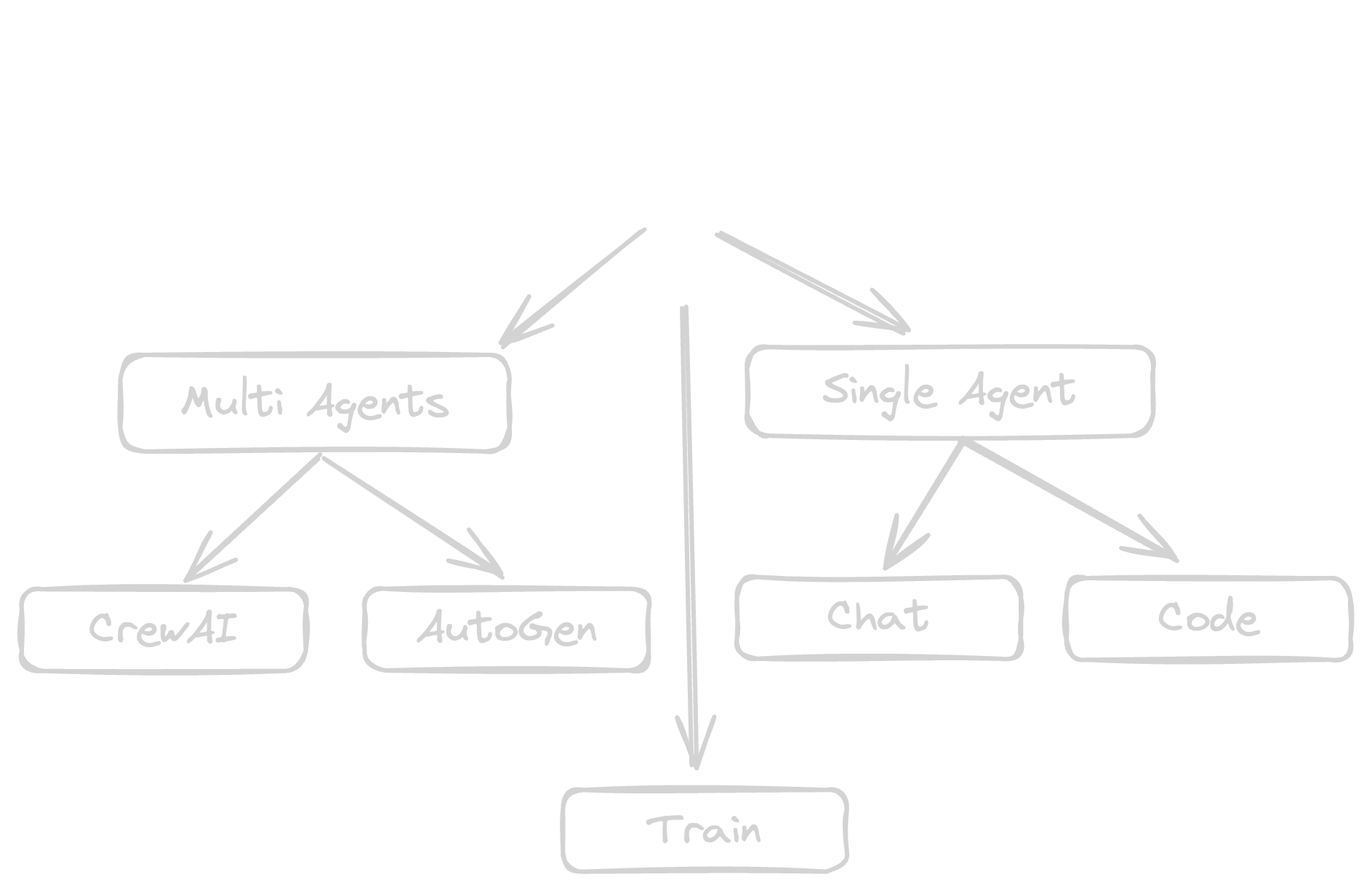
Praison AI Package Overall Features
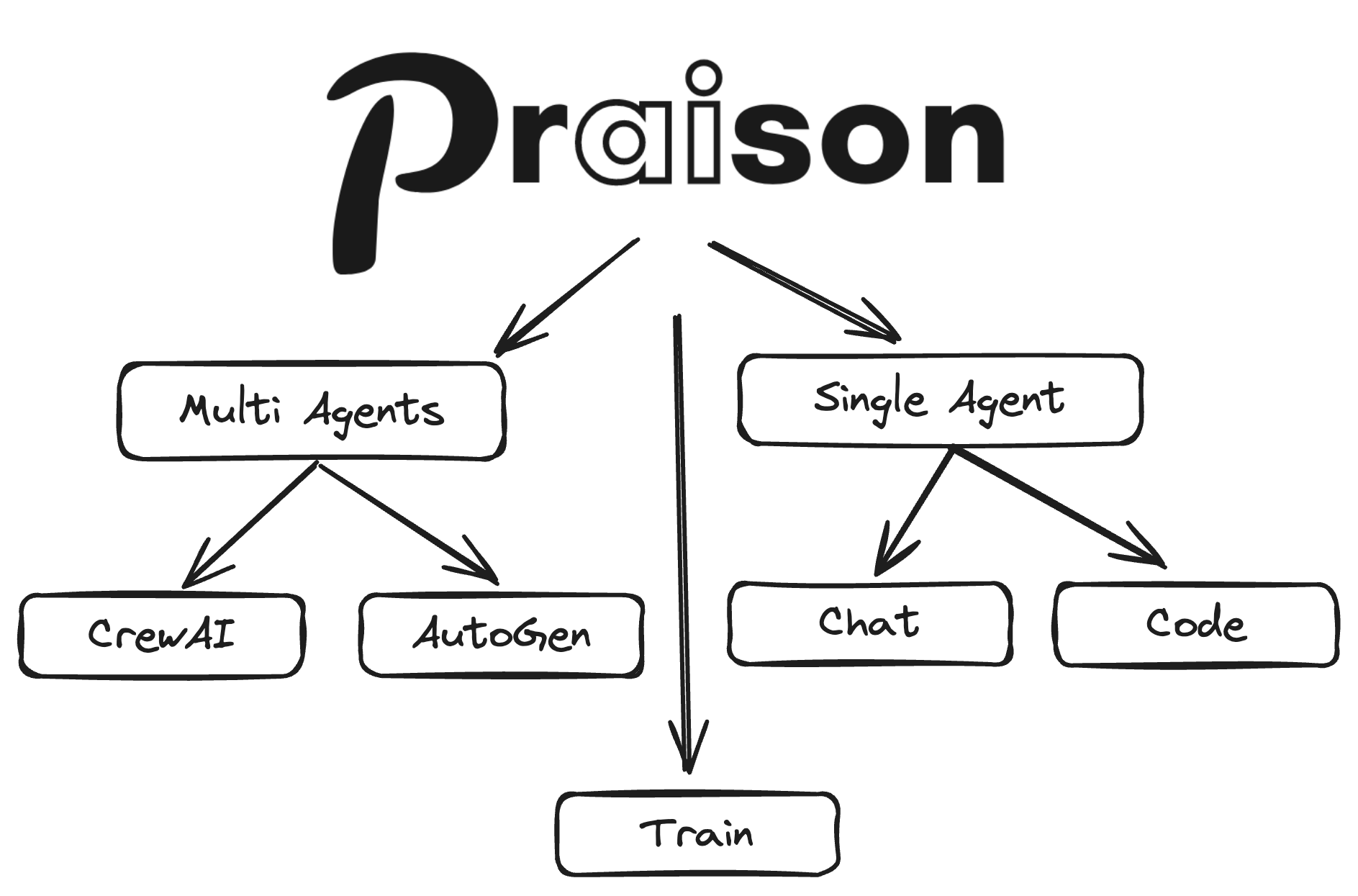
Features
Agents that evaluate and improve their own responses for higher accuracy
ReasoningMulti-step logical reasoning and autonomous problem solving
Memory & KnowledgePersistent memory and RAG-powered knowledge bases for context-aware agents
MCP IntegrationConnect to external tools and services via Model Context Protocol
Multimodal AgentsWork with agents that can process text, images, and other data types
TrainTrain and fine-tune your LLMs for specific tasks and domains. Then use it as an AI Agent.
User Interfaces
Visual interface for building and managing multi-agent systems
Chat InterfaceChat with 100+ LLMs using a single AI Agent
Code InterfaceInteract with your entire codebase


Video Tutorials
| Topic | Video |
|---|---|
| AI Agents with Self Reflection |  |
| Reasoning Data Generating Agent |  |
| AI Agents with Reasoning |  |
| Multimodal AI Agents |  |
| AI Agents Workflow |  |
| Async AI Agents |  |
| Mini AI Agents |  |
| AI Agents with Memory |  |
| Repetitive Agents |  |
| Introduction |  |
| Tools Overview |  |
| Custom Tools |  |
| Firecrawl Integration |  |
| User Interface |  |
| Crawl4AI Integration |  |
| Chat Interface |  |
| Code Interface |  |
| Mem0 Integration |  |
| Training |  |
| Realtime Voice Interface |  |
| Call Interface |  |
| Reasoning Extract Agents |  |