
🦞 AI Agents That Work For You, 24/7
Self-improving multi-agent teams that solve complex tasks, automate workflows, and deliver to Telegram, Discord, Slack — with low-code simplicity.



Build your first AI agent in minutes. Install, configure, and run.
Explore SDKAgents, Tools, Workflows, Memory, Knowledge, and RAG capabilities.
DeployDocker, Cloud, MCP Server, A2A Protocol, and production patterns.
Quick Start
One‑line install — includes guided onboarding for Telegram, Discord, Slack, WhatsApp and the Claw dashboard.
macOS / Linux / WSL2
curl -fsSL https://praison.ai/install.sh | bashIsolated install via uv tool → pipx → venv fallback. CLI available at ~/.local/bin/praisonai.
Windows (PowerShell)
iwr -useb https://praison.ai/install.ps1 | iexuvx (zero-install)
uvx praisonai "2+2"Runs PraisonAI without a permanent install. Requires uv.
pipx
pipx install praisonaiIsolated persistent install. Requires pipx.
pip
pip install "praisonai[all]"
praisonai onboard
Agent
from praisonaiagents import Agent

agent = Agent(instructions="You are a helpful AI assistant")
agent.start("Write a movie script about a robot on Mars")
🦞 AgentClaw
pip install "praisonai[claw]"
praisonai claw
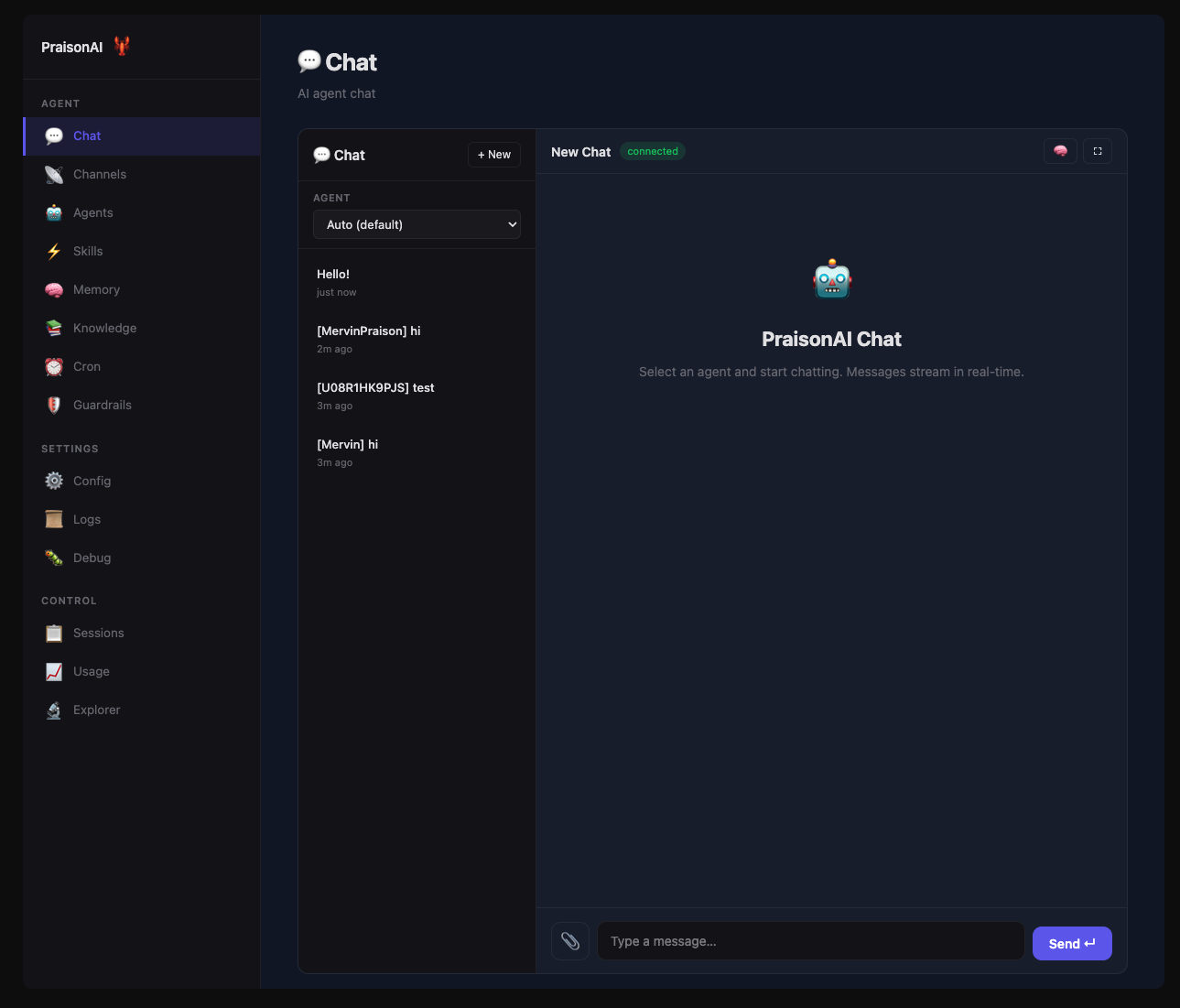
Open http://localhost:8082 — full UI with chat, agents, memory, knowledge, and channels for Telegram, Discord, Slack.
AgentTeam
from praisonaiagents import Agent, AgentTeam

researcher = Agent(name="Researcher", instructions="Research topics thoroughly")
writer = Agent(name="Writer", instructions="Write engaging content")

team = AgentTeam(agents=[researcher, writer])
team.start("Create a blog post about AI agents")
AgentFlow
from praisonaiagents import Agent, AgentFlow

researcher = Agent(name="Researcher", instructions="Research topics")
writer = Agent(name="Writer", instructions="Write content")

workflow = AgentFlow(steps=[researcher, writer])
workflow.start("Create a blog post about AI agents")
AgentOS
from praisonai import AgentOS
from praisonaiagents import Agent

# Deploy as web API
app = AgentOS(
    agents=[Agent(instructions="You are a helpful assistant")]
)
app.serve(port=8080)
Dashboard
Works With Every AI Provider
100+ LLM providers supported out of the box





Use Cases
AI agents solving real-world problems across industries
Conduct deep research, gather information, and generate insights from multiple sources automatically.
Code GenerationWrite, debug, and refactor code with AI agents that understand your codebase and requirements.
Content CreationGenerate blog posts, documentation, marketing copy, and technical writing with multi-agent teams.
Data PipelinesExtract, transform, and analyze data from APIs, databases, and web sources automatically.
Customer SupportDeploy 24/7 support bots on Telegram, Discord, Slack with memory and knowledge-backed responses.
Workflow AutomationAutomate multi-step business processes with agents that hand off tasks, verify results, and self-correct.
Why PraisonAI?
Your machine, cloud, or edge. Self-hosted with full control over your data.
100+ LLM ModelsOpenAI, Anthropic, Google, Ollama, Groq — seamlessly switch between any provider.
Memory & KnowledgePersistent memory, RAG knowledge bases, and context-aware conversations.
Self-ReflectionAgents that evaluate and improve their own responses for higher accuracy.
140+ Built-in ToolsWeb search, file operations, databases, APIs — all ready to use out of the box.
Multi-Agent WorkflowsSequential, parallel, hierarchical orchestration with autonomous coordination.
Install
Python
pip install praisonaiagents
export OPENAI_API_KEY=your_keyfrom praisonaiagents import Agent
agent = Agent(instructions="You are a helpful AI assistant")
agent.start("Write a movie script about a robot on Mars")JavaScript
npm install praisonai
export OPENAI_API_KEY=your_keyconst { Agent } = require('praisonai');
const agent = new Agent({ instructions: 'You are a helpful AI assistant' });
agent.start('Write a movie script about a robot on Mars');No Code
pip install praisonai
export OPENAI_API_KEY=your_key
praisonai "Summarize the latest AI news"
Low Code
pip install praisonai
export OPENAI_API_KEY=your_keyagents:
researcher:
instructions: Research about AI trends
writer:
instructions: Write a blog post about the findingspraisonai agents.yamlThe same --continue, --session, --output, and permission flags documented for praisonai run also work here — praisonai agents.yaml --continue --output json resumes the last session and emits machine-parseable output.
Explore
Single agents, multi-agent teams, coordination
ToolsBuilt-in tools, custom tools, MCP integration
WorkflowsMulti-step pipelines, routing, loops
Memory & RAGVector stores, knowledge bases, retrieval
🦞 AgentClawFull UI with chat, agents, Telegram, Discord, Slack
Recipes55+ production-ready AI tools
Platform Integrations
Deploy AI bots to Slack workspaces
DiscordCreate Discord bots with agent intelligence
TelegramBuild Telegram bots in minutes
WhatsAppConnect via WhatsApp Business
Automate repos, issues, and PRs
GoogleCalendar, Sheets, Drive, Gmail
NotionRead and write Notion pages
JiraManage Jira issues and projects
CLI Commands
Full-featured CLI for deploying and managing AI agents
🦞 AgentClaw
pip install "praisonai[claw]"
praisonai claw

# Custom port
praisonai claw --port 9000

# Add channels from the UI — Telegram, Discord, Slack, WhatsApp
Messaging Bots
# Start a Telegram bot
praisonai bot telegram --token $TELEGRAM_BOT_TOKEN

# Slack with full capabilities
praisonai bot slack --token $SLACK_BOT_TOKEN --app-token $SLACK_APP_TOKEN \
  --agent agents.yaml --browser --web --memory --model gpt-4o

# Discord with custom tools
praisonai bot discord --token $DISCORD_BOT_TOKEN \
  --tools DuckDuckGoTool WikipediaTool
Browser Control
praisonai browser navigate https://example.com
praisonai browser run "Click the submit button"
praisonai browser screenshot --output page.png
praisonai browser doctor
Skills & Plugins
praisonai skills list
praisonai skills check --verbose
praisonai plugins list --enabled
praisonai plugins doctor
Sandbox
praisonai "Run code" --sandbox strict
praisonai sandbox status
praisonai sandbox explain --agent workFull UI with bots and agents
Bot CLIDeploy messaging bots
Browser CLIBrowser automation
Plugins CLIPlugin management
Join the Community
Connect with developers building with PraisonAI
GitHub YouTube X LinkedIn